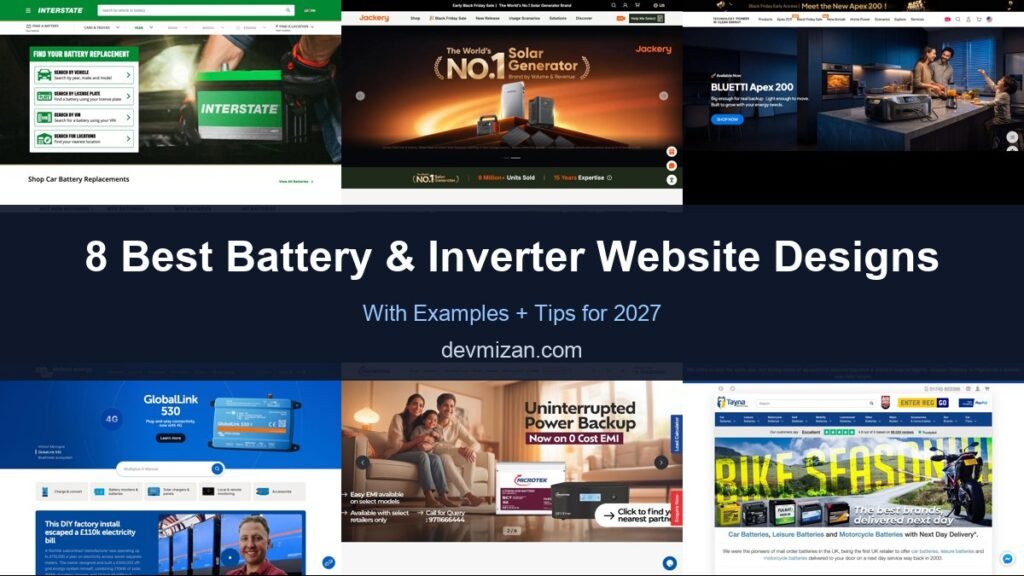
Batteries, inverters and home backup systems are technical purchases, so the best websites translate specifications into clear benefits and help buyers choose the right system. This post showcases 8 of the best battery and inverter website design examples for 2027, with screenshots, what each site does well, and practical tips you can use on your own website.
These examples cover automotive batteries, inverter brands and home energy storage retailers.
Table of Contents
What Makes a Great Battery and Inverter Website?
- Product finders. Choose by vehicle, power need or home size.
- Clear specifications. Capacity, backup time and compatibility.
- Use-case content. Home backup, solar storage and off-grid.
- Dealer or installer locator. Where to buy and who installs.
- Warranty and support. Registration and service.
- Calculators. Backup time and sizing tools.
1. Interstate Batteries
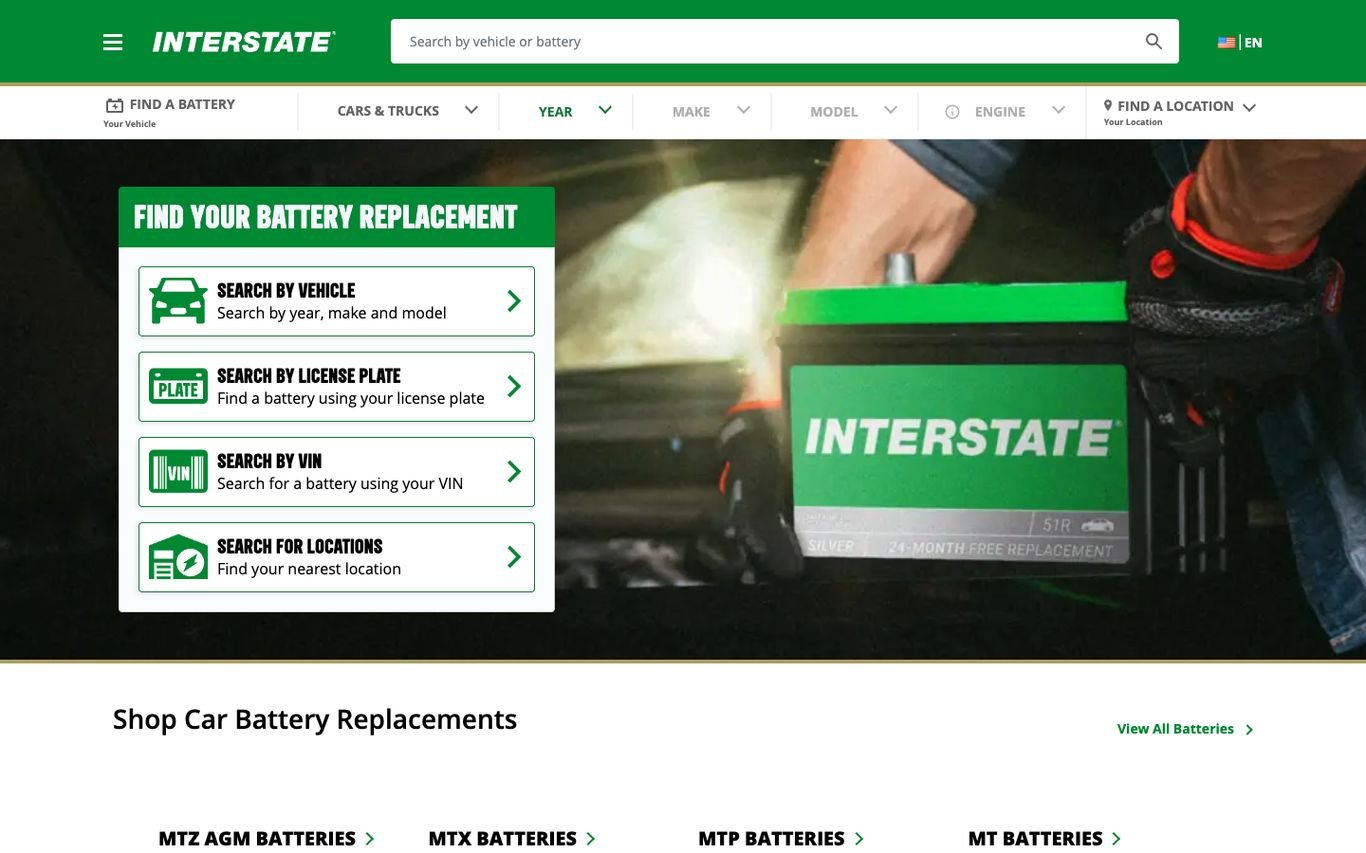
Interstate puts a “Find Your Battery Replacement” panel in the hero with four options: search by vehicle, by licence plate, by VIN, or find a location. A year, make, and model bar and a product search sit above it.
What to borrow: Several lookup methods so every customer finds the right fit.
2. Jackery

Jackery frames its solar generator with laurel-style “World’s No.1” branding and a stats strip covering units sold and years of expertise. A “Help Me Select” button in the header guides buyers to the right product.
What to borrow: A “help me choose” tool for technical products.
3. BLUETTI
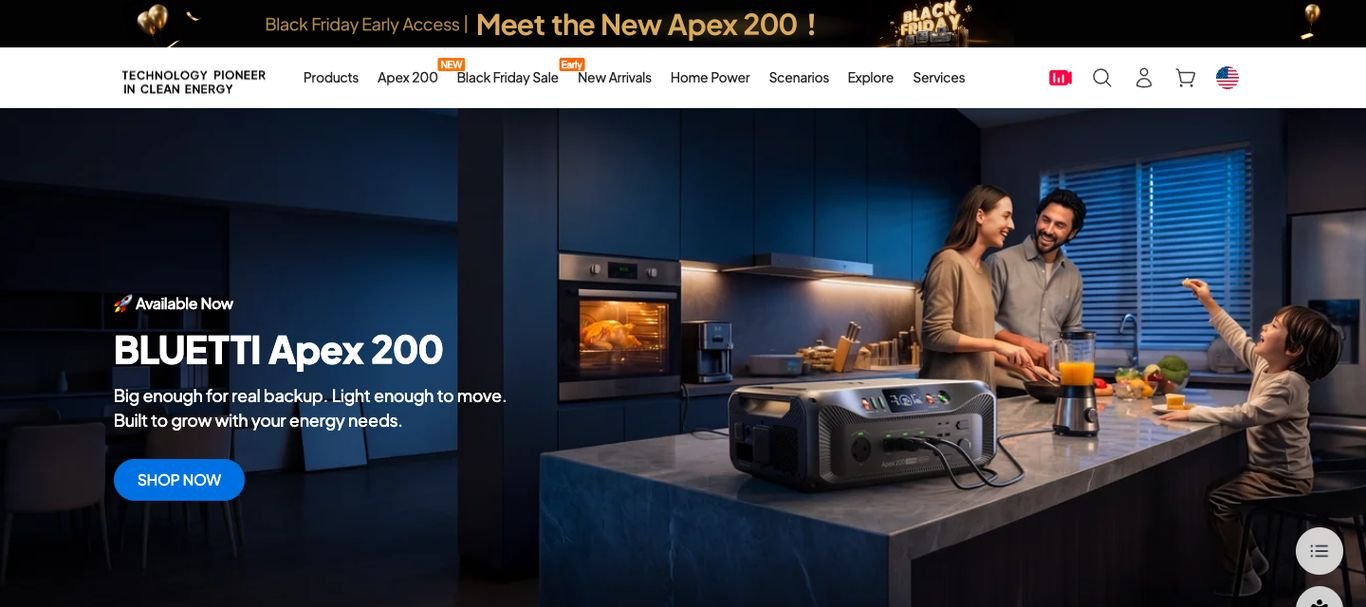
BLUETTI shows a family cooking while its power station runs the kitchen, with the line “Big enough for real backup. Light enough to move.” and a Shop Now button, followed by headline company stats.
What to borrow: Show the product powering real life, not just on a white background.
4. Victron Energy
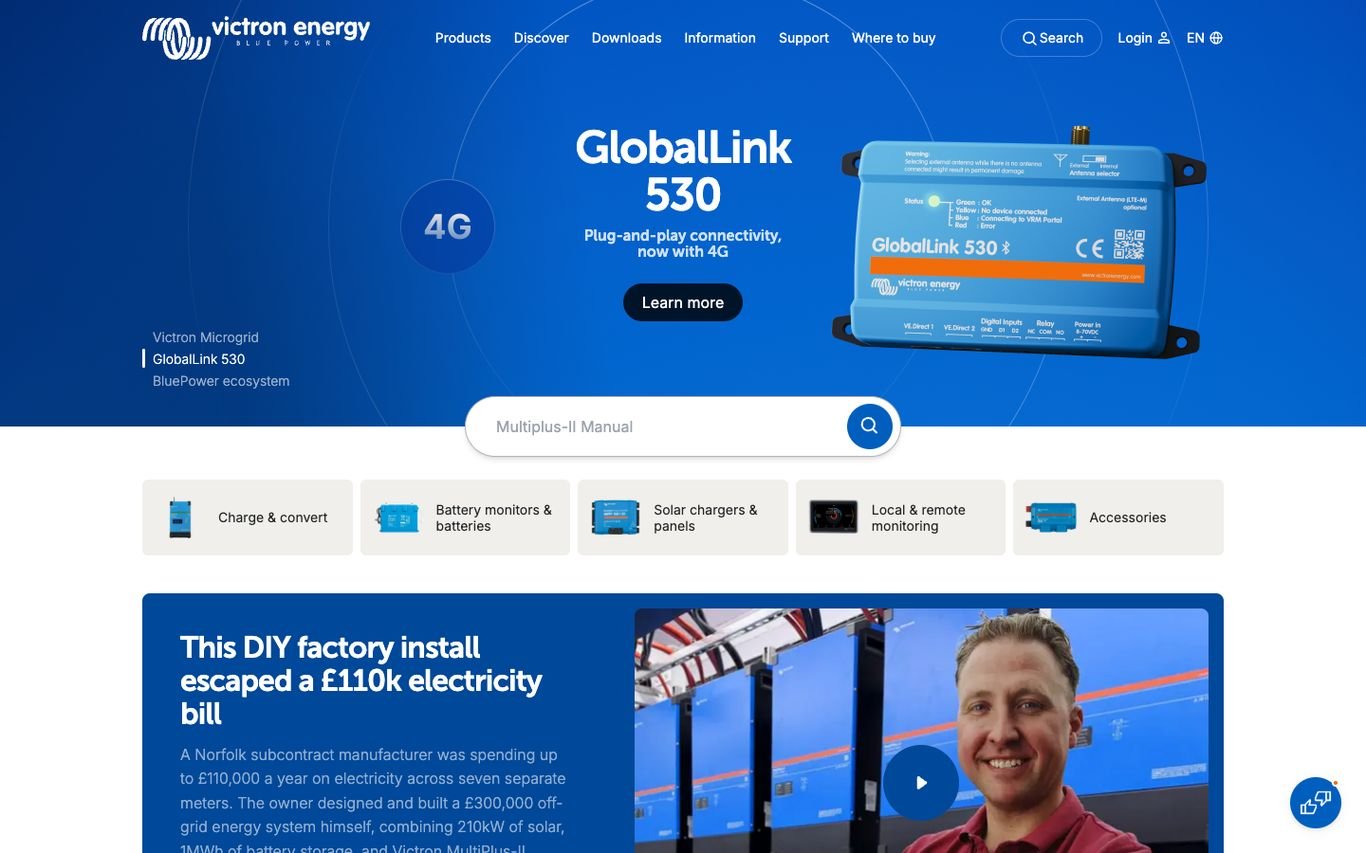
Victron Energy promotes a new product on a strong blue background, then offers a search box for manuals and category icons for chargers, battery monitors, and solar products. A video case study shows a factory install that cut a large electricity bill.
What to borrow: Make manuals easy to find for technical customers.
5. Microtek

Microtek shows a family relaxing at home with “Uninterrupted Power Backup” and a zero-cost EMI offer, plus easy EMI and call-for-query details. A load calculator tab and an enquiry button stay on the side of the screen.
What to borrow: A load calculator that helps buyers choose the right size.
6. Tayna Batteries
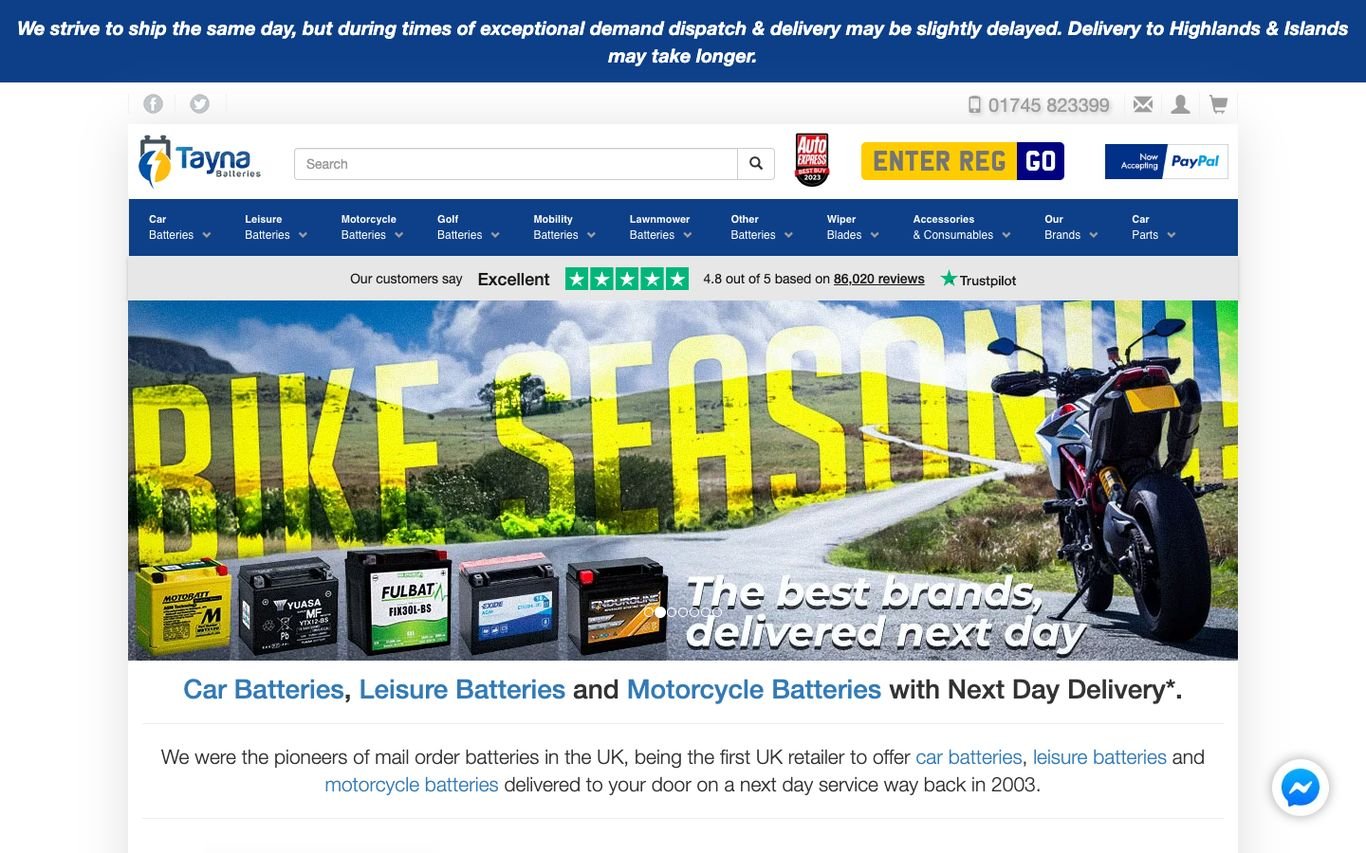
Tayna puts an “Enter reg” number plate lookup right in the header, with a Trustpilot rating, category menus for car, leisure, motorcycle, golf, and mobility batteries, and a seasonal banner promising next-day delivery.
What to borrow: Registration lookup in the header for instant fitment.
7. Luminous

Luminous pairs a sunset over solar panels with a statement about being a leading power backup and solar energy company, with an Enquire Now button and links for becoming a partner or distributor.
What to borrow: Partner and distributor sign-ups for channel growth.
8. Exide

Exide promotes a new battery with feature icons, then a row of category icons from automotive and e-rickshaw to inverter, UPS, and solar batteries. Investor updates and community initiatives sit below.
What to borrow: A category row that covers every type of customer.
Quick Comparison
| Website | Market | Standout Feature | Our Rating |
|---|---|---|---|
| Interstate Batteries | US | Battery finder with four lookup options | |
| Jackery | Global | Award-style claim plus a product selector | |
| BLUETTI | Global | Lifestyle use case for home backup | |
| Victron Energy | Netherlands / Global | Manual search and customer case studies | |
| Microtek | India | Family imagery, EMI offer and load calculator | |
| Tayna Batteries | UK | Registration lookup and review rating | |
| Luminous | India | Solar sunset and partner links | |
| Exide | India | Product promo with category icons |
Design Tips for Your Battery and Inverter Website
1. Start With the Customer’s Need
Ask what they want to power and for how long, then recommend a product.
2. Explain Specs in Plain Language
Translate kWh and wattage into hours of backup and appliances supported.
3. Add Sizing Calculators
Calculators turn uncertainty into confident purchases and capture leads.
4. Make Installers Easy to Find
A dealer or installer locator supports buyers who need professional fitting.
5. Highlight Warranty and Service
Long warranties and service networks reduce risk for buyers.
Frequently Asked Questions
What should a battery or inverter website include?
Product finders, clear specifications, sizing calculators, dealer locators, warranty information and support.
Can WordPress host product selectors and calculators?
Yes, with custom forms or calculator plugins.
How do battery brands generate leads?
Calculators, installer enquiries and quote requests.
Conclusion
The best battery and inverter website design combines trust, clarity and an obvious next step. Turn technical specifications into clear choices and make it easy to buy or find an installer. Use these 8 examples as inspiration and adapt the patterns that fit your business.
For more inspiration, see our best real estate website designs and best solar company website designs.
Dev Mizan designs and builds fast, conversion-focused WordPress websites for growing businesses, with lead forms connected to your CRM. Get in touch to plan your new website, or message us on WhatsApp.
Want more inspiration? Browse all website design examples by industry →