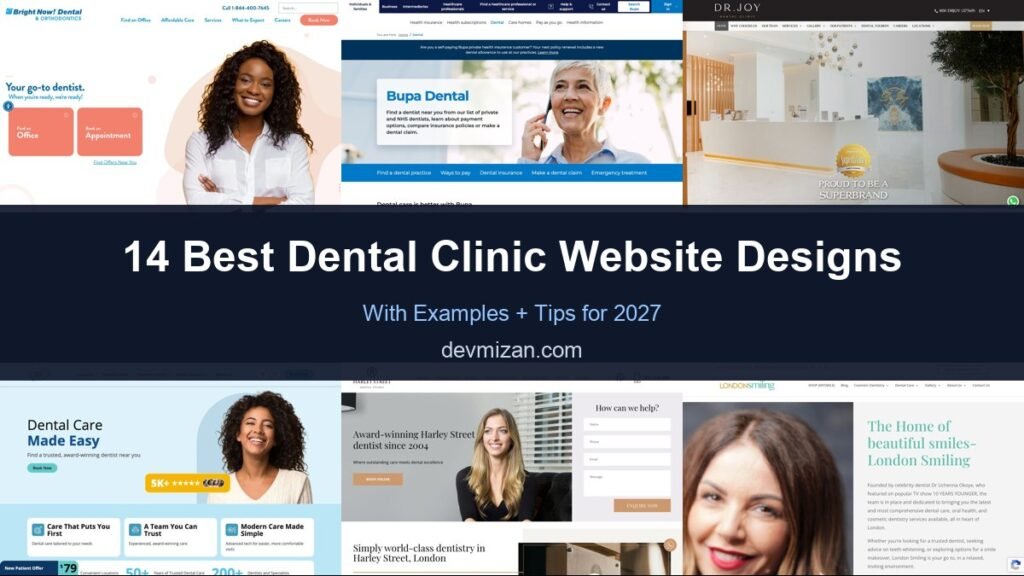
For a dental clinic, the website is the front desk. Patients use it to check treatments, prices, reviews, and above all to book. The best dental websites feel calm and welcoming, answer worries before they become objections, and put “Book an appointment” everywhere. This post showcases 14 of the best dental clinic website designs for 2027, with screenshots, what each does well, and tips for your own practice.
Table of Contents
What Makes a Great Dental Website?
- Online booking. A booking button in the header and on every treatment page.
- Calm, friendly design. Soft colours, real photos, and reassuring copy for nervous patients.
- Clear treatments and pricing. What each treatment involves and roughly what it costs.
- Trust signals. Reviews, before-and-after photos, and dentist profiles.
- Location and hours. Easy to find for local searches and on mobile.
- Finance and insurance info. Payment plans and accepted insurance reduce hesitation.
1. Bright Now! Dental & Orthodontics
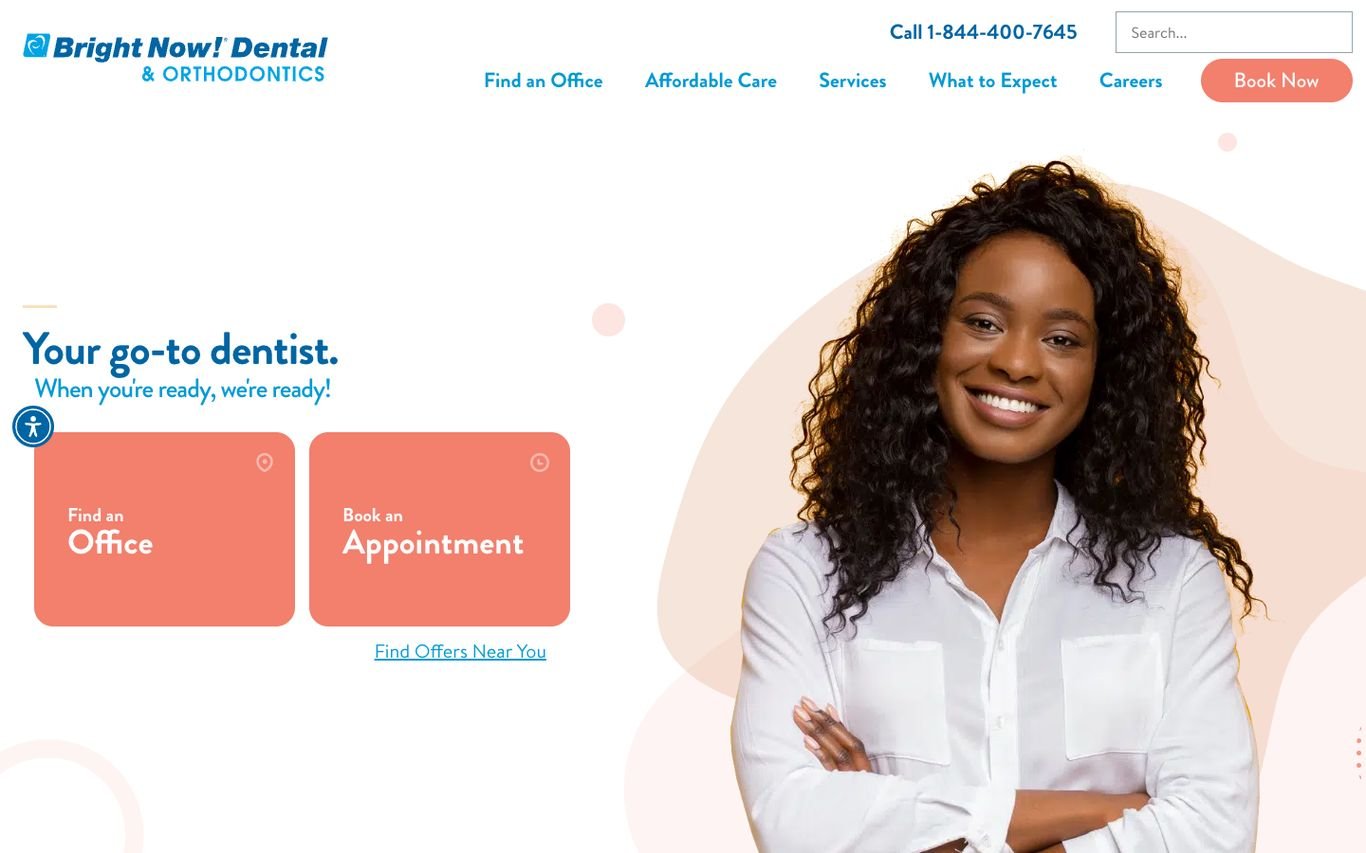
Bright Now! keeps things friendly and simple: “Your go-to dentist. When you’re ready, we’re ready!” beside a smiling patient, with two large coral buttons, Find an Office and Book an Appointment. The phone number and a Book Now button sit in the header, and a link to offers near you encourages first visits.
What to borrow: Two clear hero buttons for the two things patients want: find and book.
2. Bupa Dental Care
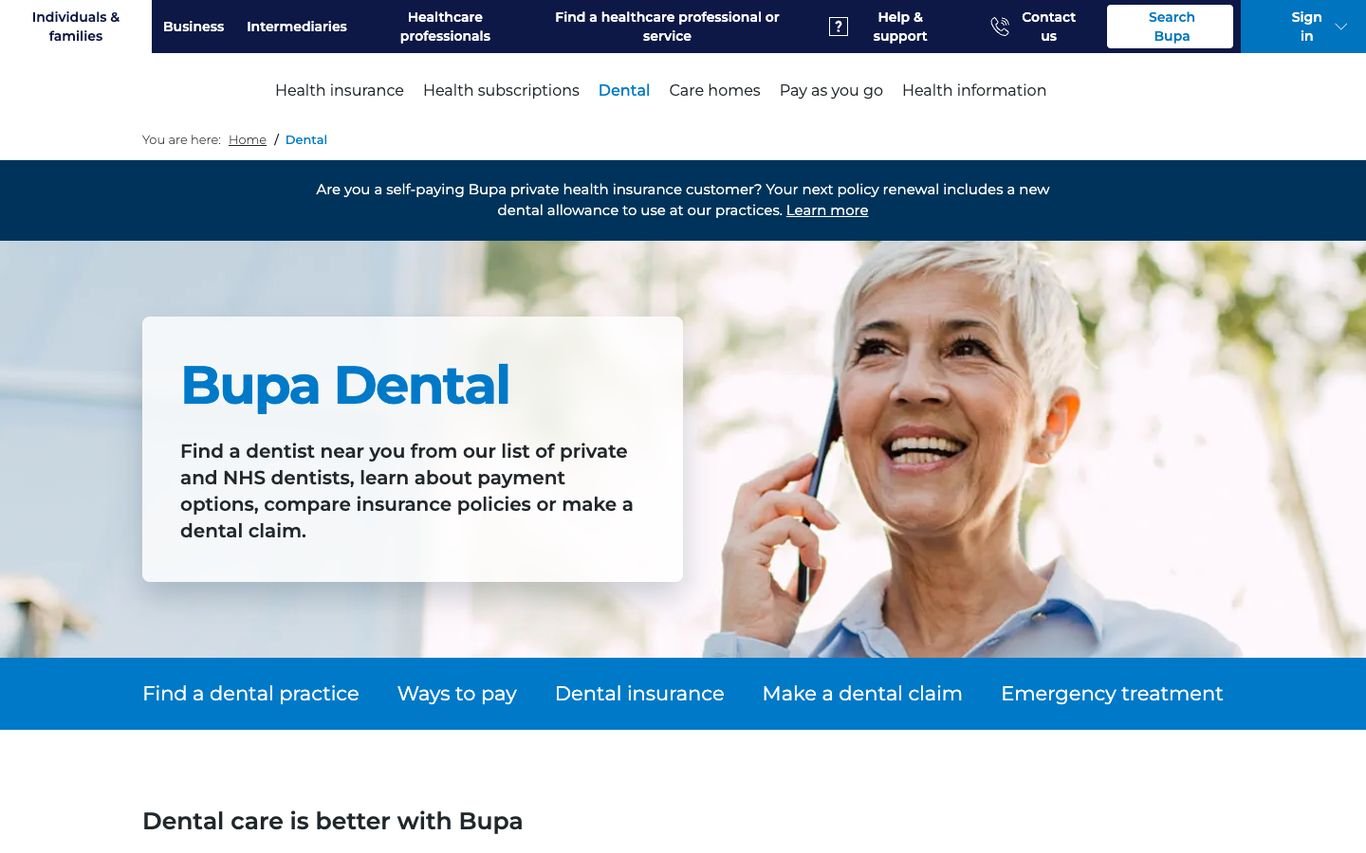
Bupa’s dental hub opens with a reassuring photo and a short summary: find a private or NHS dentist, learn about payment options, compare insurance, or make a claim. A blue quick-links bar then lists exactly those tasks, plus emergency treatment.
What to borrow: A quick-links bar that matches the tasks patients come to do.
3. Dr. Joy Dental Clinic
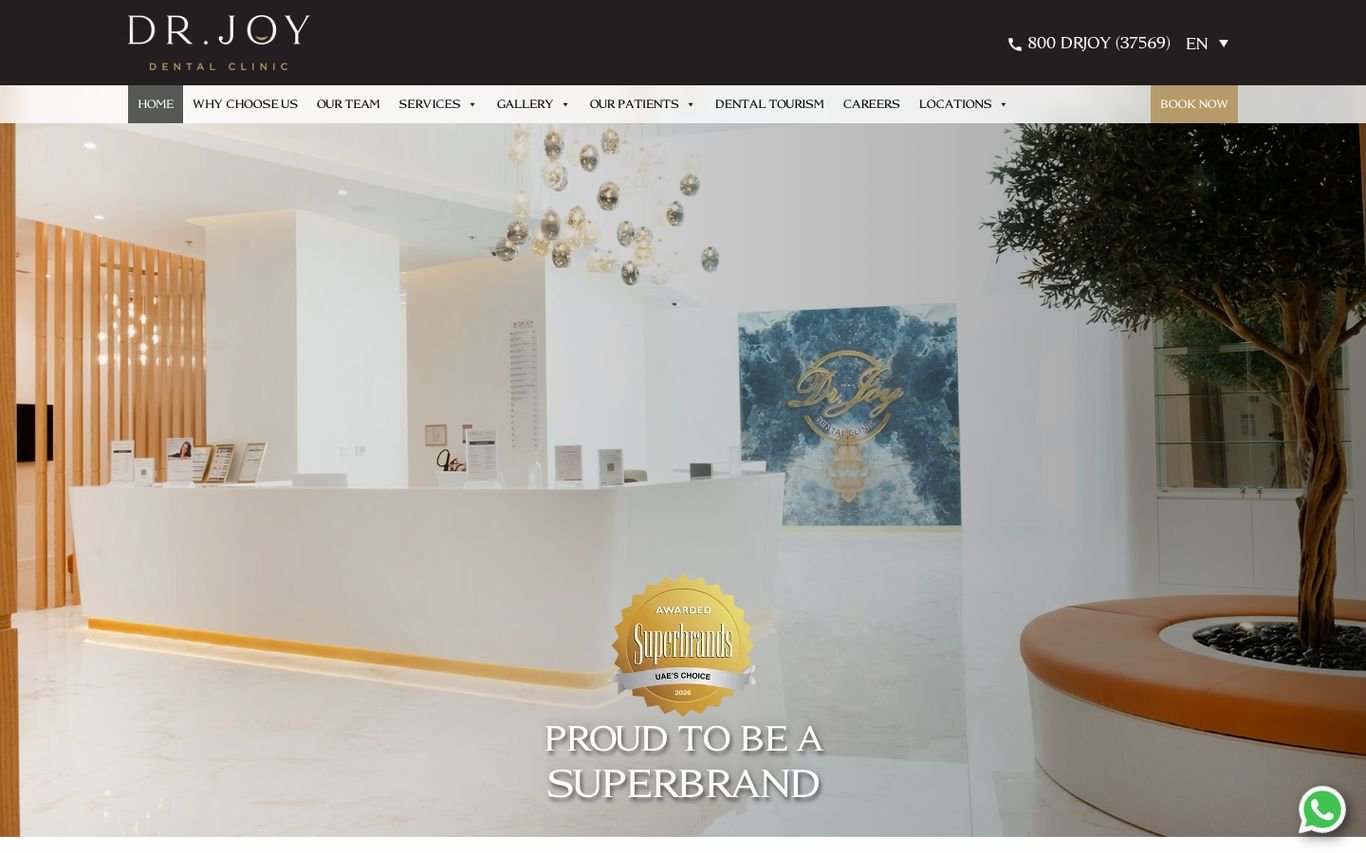
Dr. Joy leads with a bright photograph of its own reception, which immediately tells patients what to expect, plus a Superbrands award badge. The header carries the clinic’s phone number, a language switcher, and a Book Now button, and a WhatsApp button floats in the corner.
What to borrow: Real clinic photography plus WhatsApp for quick questions.
4. Gentle Dental
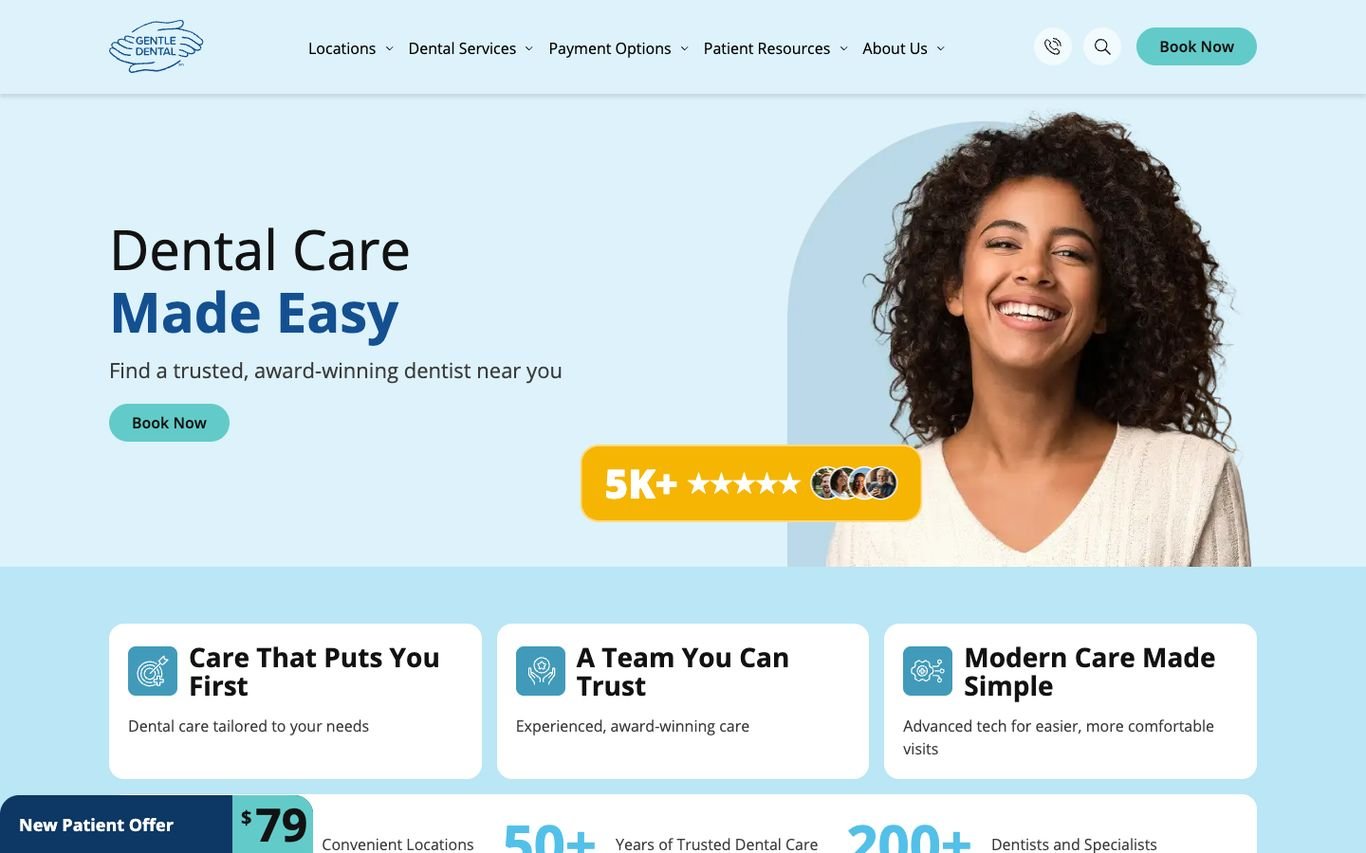
Gentle Dental’s light blue hero promises “Dental Care Made Easy” with a Book Now button and a review badge showing thousands of five-star ratings. Three value cards follow, and a bar along the bottom highlights a new patient offer alongside years in practice and the number of dentists.
What to borrow: A specific new patient offer to tip first-timers into booking.
5. Harley Street Dental Studio
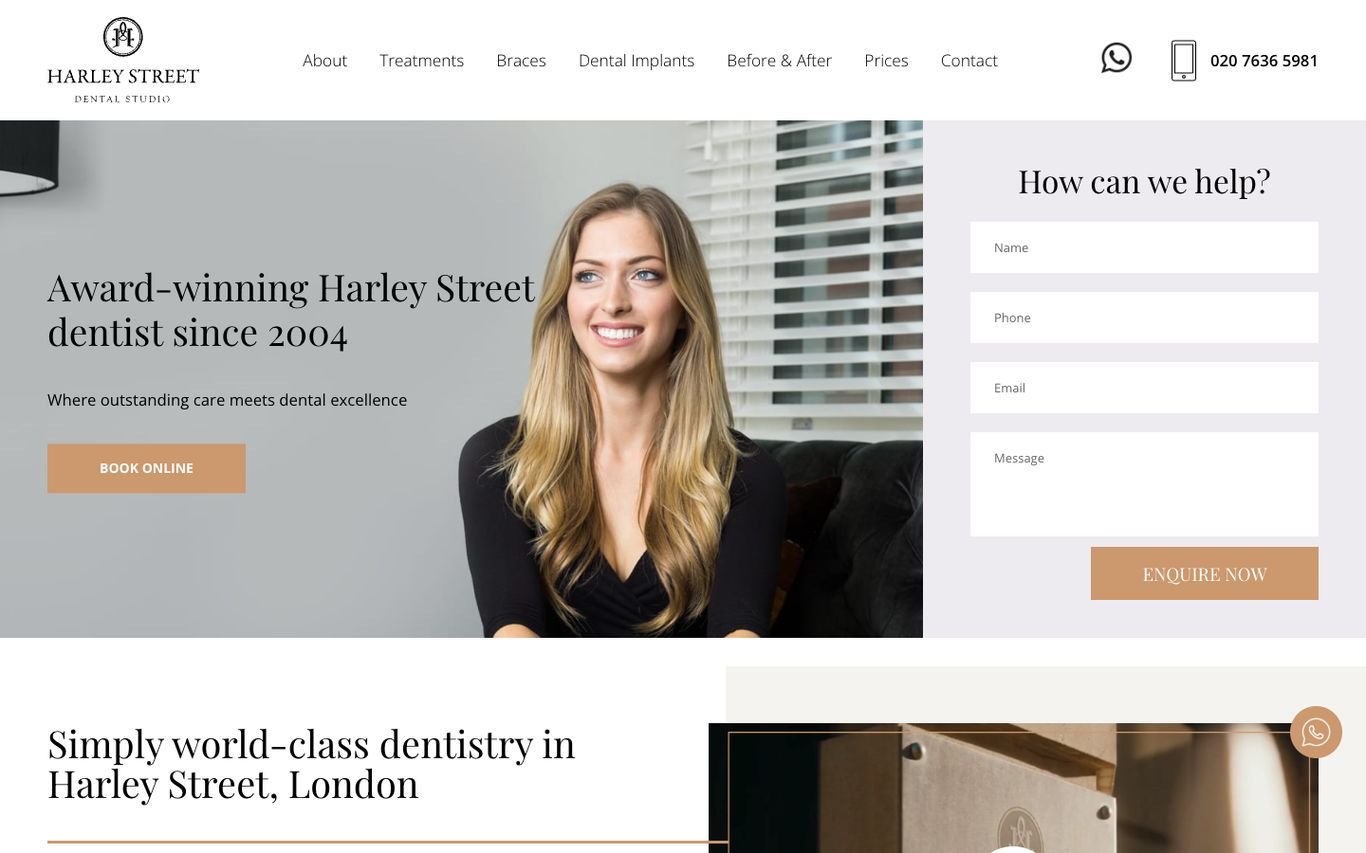
Harley Street Dental Studio pairs “Award-winning Harley Street dentist since 2004” with a portrait and a Book Online button, and places a short “How can we help?” enquiry form right next to it. The navigation includes treatments, prices, and before-and-after results, with WhatsApp and phone in the header.
What to borrow: A short enquiry form on the first screen for patients who prefer to ask first.
6. London Smiling
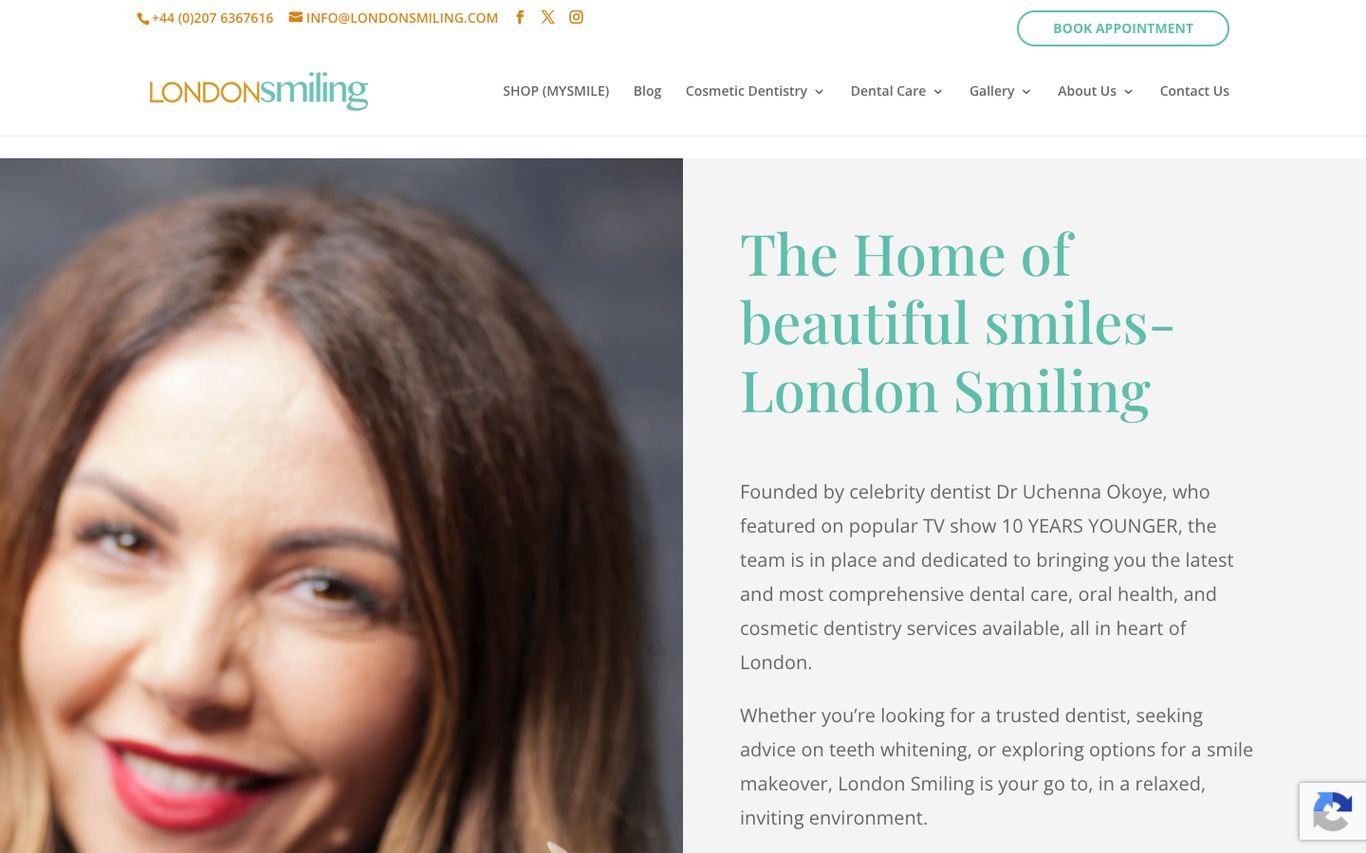
London Smiling uses soft colours and a refined serif headline, “The Home of beautiful smiles”, with a short story about its founder and approach. A Book Appointment button sits in the header alongside contact details and social links, and the navigation includes a shop.
What to borrow: A founder story that adds personality and trust.
7. Marylebone Smile Clinic
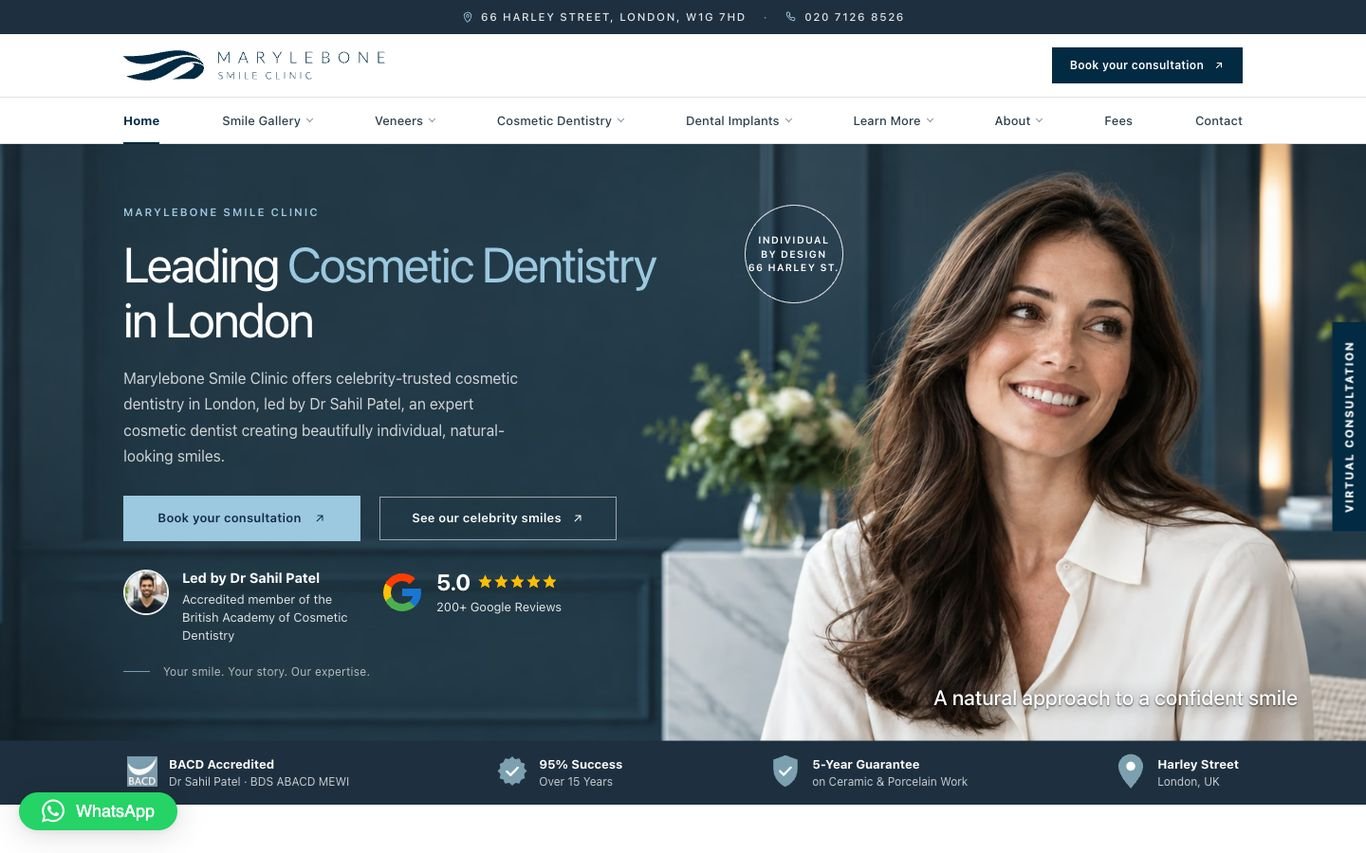
Marylebone Smile Clinic leads with “Leading Cosmetic Dentistry in London” and two buttons: book a consultation and see its celebrity smiles. A Google rating badge, the lead dentist’s credentials, and a strip of accreditations and guarantees sit right underneath, and a virtual consultation tab stays on the side of the screen.
What to borrow: A virtual consultation option for patients who are not ready to visit.
8. mydentist
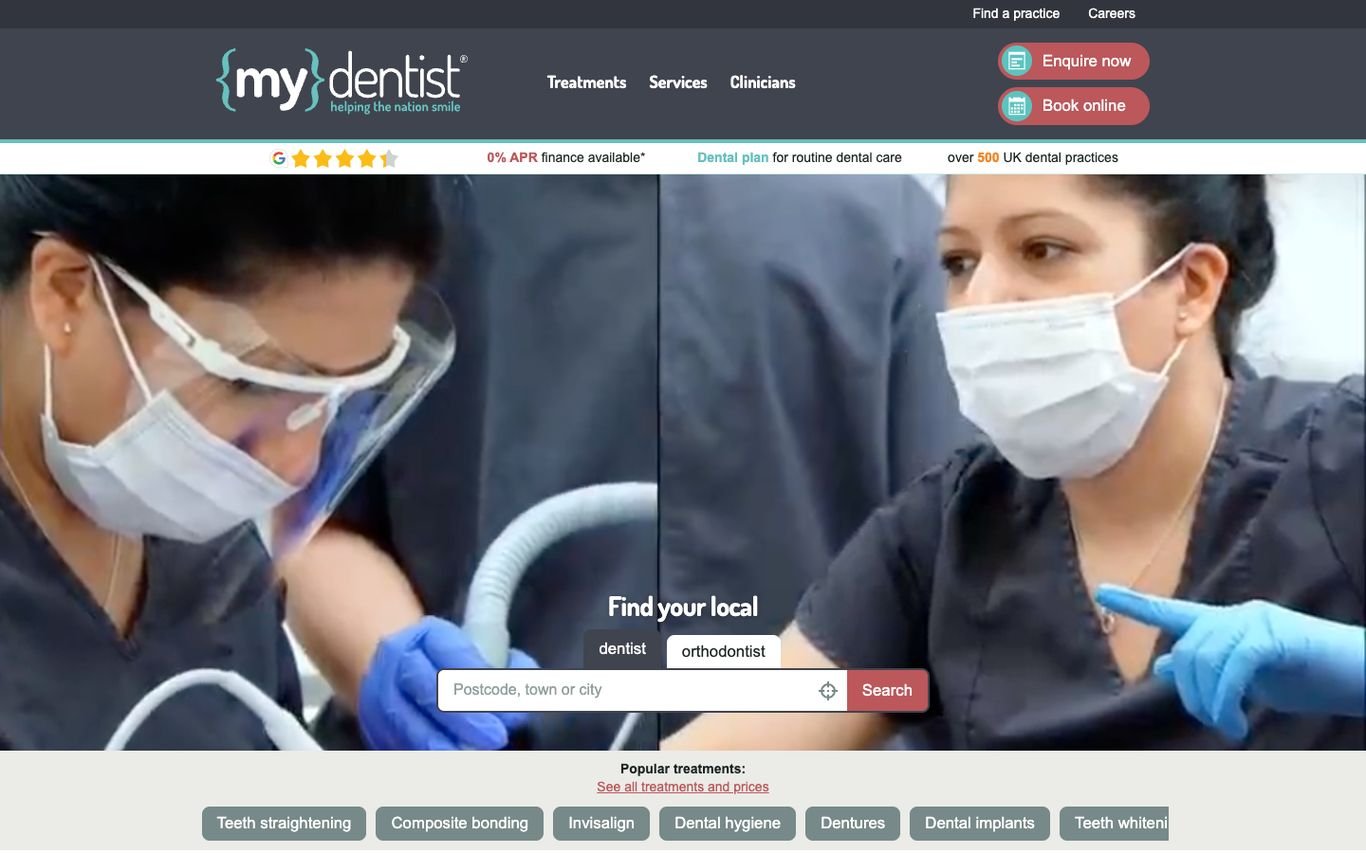
mydentist uses a clinical photo of a dentist at work and a “Find your local dentist” search by postcode, with a switch for orthodontists. Below, clickable chips list popular treatments such as teeth straightening, composite bonding, Invisalign, and whitening, and the header offers Enquire Now and Book Online.
What to borrow: Treatment chips that take patients straight to what they want.
9. National Dental Care
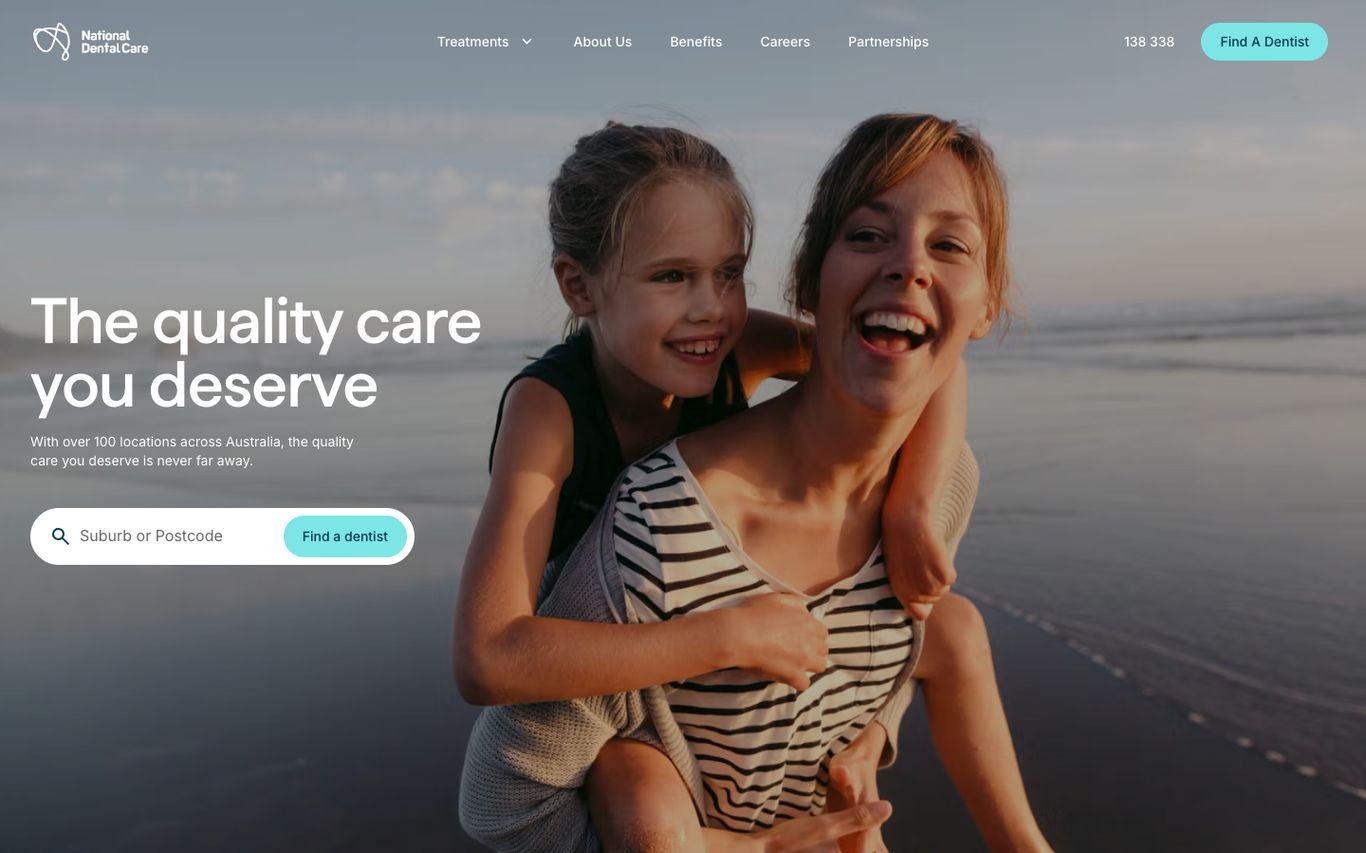
National Dental Care chooses emotion over clinic shots: a mother and daughter hugging on the beach and the line “The quality care you deserve.” A suburb or postcode search sits in the hero, with the phone number and a Find a Dentist button in the header.
What to borrow: Lifestyle imagery that sells the feeling of a healthy smile.
10. Pacific Smiles Dental
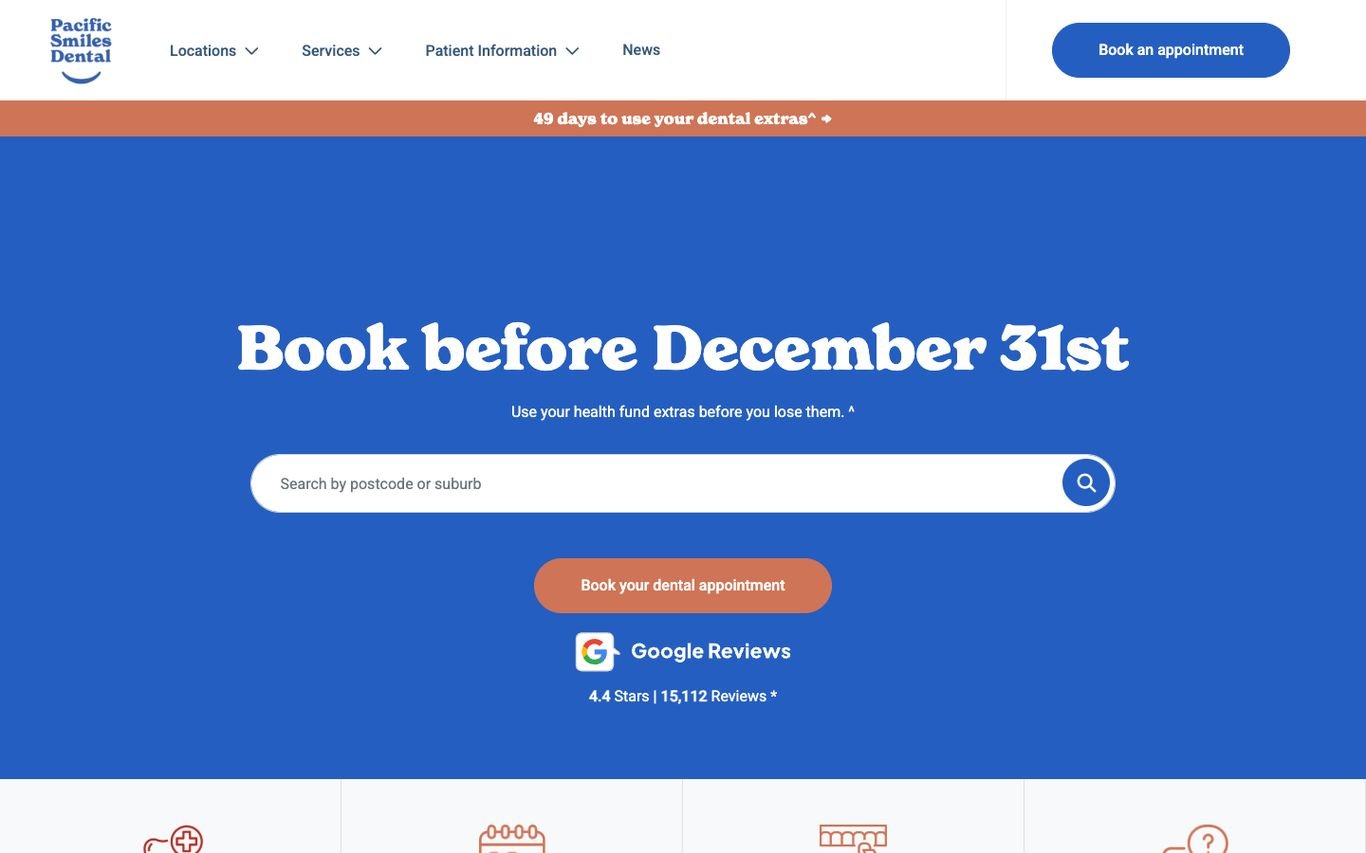
Pacific Smiles runs a bold blue campaign: “Book before December 31st” reminds patients to use their health fund extras before they lose them. A postcode search, a Book Your Dental Appointment button, and its Google review rating with the number of reviews follow.
What to borrow: Seasonal reasons to book now, such as insurance or health fund deadlines.
11. Western Dental & Orthodontics
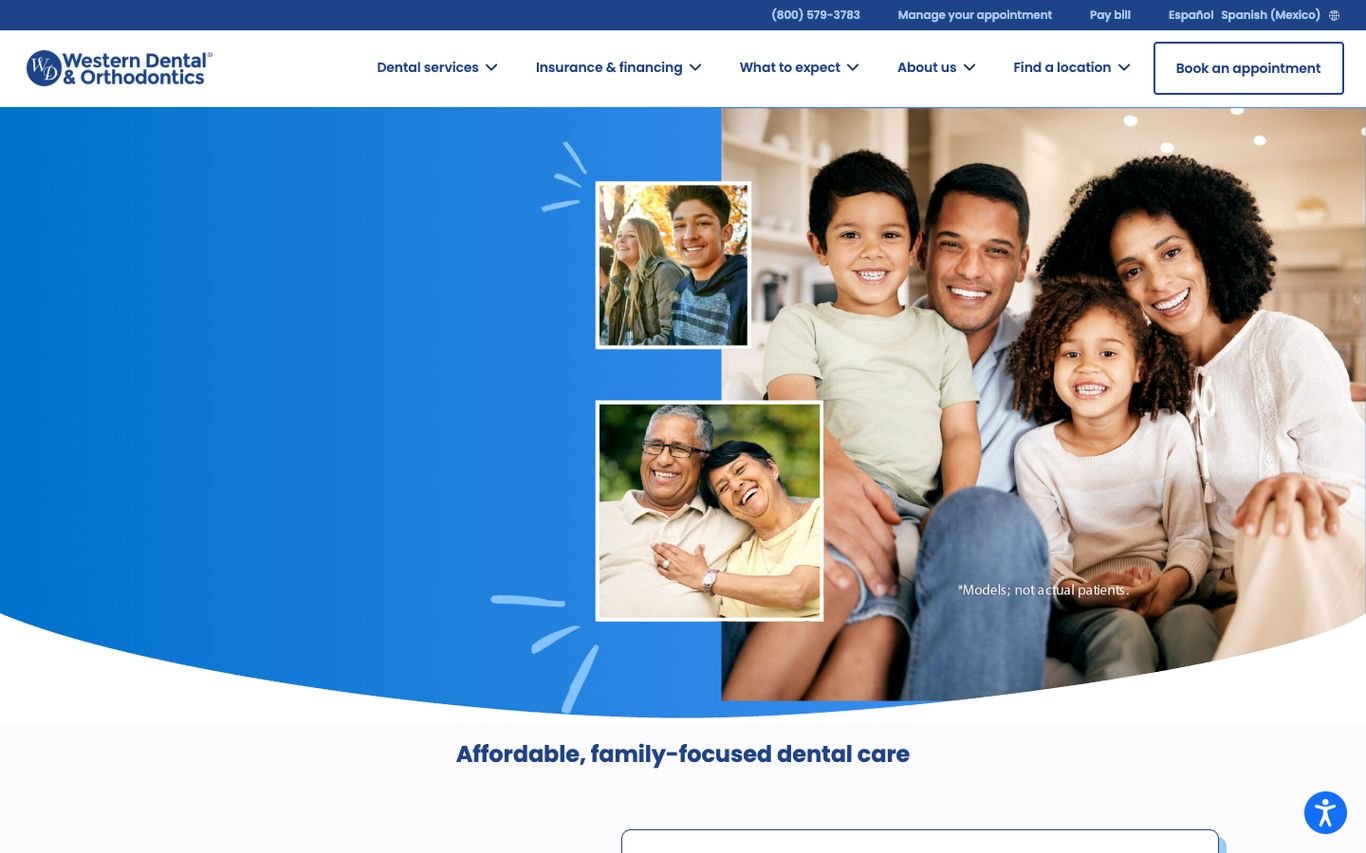
Western Dental uses a collage of smiling families and the line “Affordable, family-focused dental care.” The utility bar includes the phone number, manage appointment, pay bill, find a location, and a Spanish-language link, and a Book an Appointment button sits in the main header.
What to borrow: A Spanish-language option and self-service links for existing patients.
12. Dentakay

Dentakay targets international patients with a black hero, a large headline about being a highly rated and trusted dental clinic in Turkey, and a 3D render of dental implants. The navigation puts treatments, prices, locations, and doctors first, with a Get Consultation button, a language switcher, and WhatsApp.
What to borrow: Prices and doctors in the main menu for patients comparing clinics abroad.
13. Drs. Nicolas & Asp
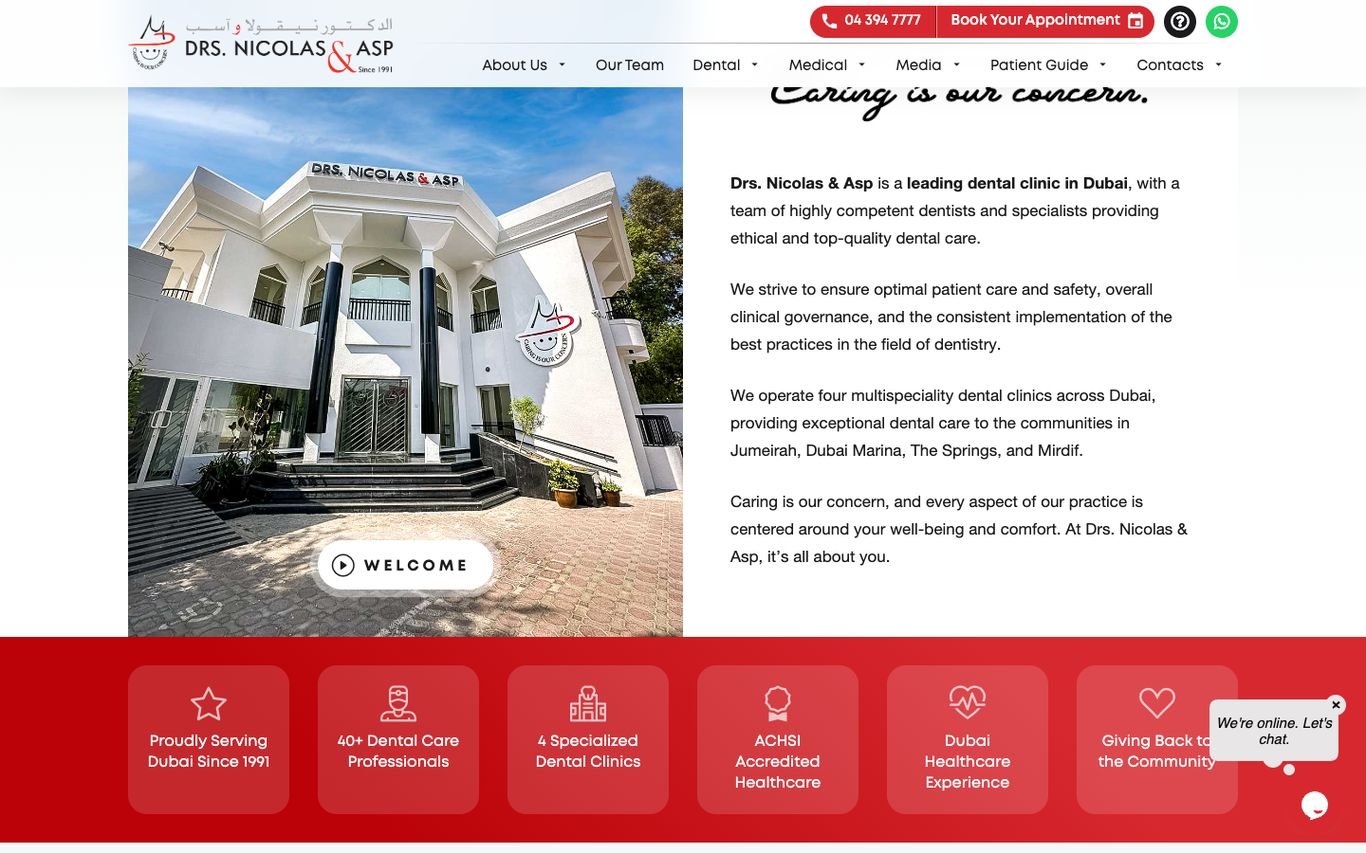
Drs. Nicolas & Asp shows its clinic building beside the line “Caring is our concern” and a short introduction to its team and locations across Dubai. A row of red cards highlights its history, number of professionals, specialised clinics, and accreditation, with Book Your Appointment, phone, and WhatsApp in the header.
What to borrow: Stat cards that turn credentials into quick, scannable proof.
14. Smileworks

Smileworks leads with its whole team in branded T-shirts and sunglasses under “Welcome to Liverpool’s Most Popular Private Dentist,” with three buttons: Ask a Question, WhatsApp the Team, and Book Online. An emergencies button sits in the header for urgent cases.
What to borrow: Show your team’s personality to make nervous patients feel welcome.
Quick Comparison
| Website | Market | Standout Feature | Our Rating |
|---|---|---|---|
| Bright Now! Dental & Orthodontics | US | Two big action buttons in the hero | |
| Bupa Dental Care | UK | Task-based quick links, including emergencies | |
| Dr. Joy Dental Clinic | Dubai | Show the clinic, not stock photos | |
| Gentle Dental | US | New patient offer and review count | |
| Harley Street Dental Studio | UK | Enquiry form beside the hero | |
| London Smiling | UK | Elegant serif branding for cosmetic dentistry | |
| Marylebone Smile Clinic | UK | Reviews and guarantees packed into the hero | |
| mydentist | UK | Postcode search plus popular treatment chips | |
| National Dental Care | Australia | Warm lifestyle photography with location search | |
| Pacific Smiles Dental | Australia | Seasonal health-fund urgency | |
| Western Dental & Orthodontics | US | Family focus and bilingual access | |
| Dentakay | Turkey | Dental tourism with a bold headline | |
| Drs. Nicolas & Asp | Dubai | Clinic photo, story and red stat cards | |
| Smileworks | UK | Team photo full of personality |
Design Tips for Your Dental Website
1. Make Booking the Main Action
Use one booking call to action and repeat it in the header, hero, and treatment pages. Online booking captures patients outside office hours.
2. Show Real People
Photos of your team and clinic build more trust than stock images of perfect smiles.
3. Explain Treatments Simply
Short pages per treatment, with what to expect, how long it takes, and typical costs, answer patients’ questions and rank in local search.
4. Highlight Reviews and Results
Star ratings near the booking button and before-and-after galleries (with consent) are powerful proof.
5. Optimise for Local Search
Each location needs its own page with address, map, hours, and services.
Frequently Asked Questions
What should a dental clinic website include?
Online booking, treatment pages, prices or price guides, dentist profiles, reviews, location details, and payment or insurance options.
How can a dental website get more bookings?
Make booking one click away, show reviews near the booking button, and create treatment pages that rank for local searches like ‘teeth whitening near me’.
Can I add online booking to a WordPress dental website?
Yes. WordPress can integrate with most dental booking and practice management systems or use a booking plugin.
Conclusion
The best dental websites reassure patients and make booking effortless. Use these 14 examples to shape your own clinic’s site: calm design, clear treatments, real proof, and a booking button that is always in reach.
For more inspiration, see our best real estate website designs and best solar company website designs.
Dev Mizan designs and builds fast, conversion-focused WordPress websites for growing businesses, with lead forms connected to your CRM. Get in touch to plan your new website, or message us on WhatsApp.
Want more inspiration? Browse all website design examples by industry →