Self-storage customers usually need space soon, so the best self storage websites help them find a nearby facility, choose the right unit size and book online in minutes. This post showcases 7 of the best self storage website design examples for 2027, with screenshots, what each site does well, and practical tips you can use on your own website.
These examples show how storage brands use location search, size guides and online reservations.
Table of Contents
What Makes a Great Self Storage Website?
- Location search. Find the nearest facility instantly.
- Size guides. Visual guides to what fits in each unit.
- Online pricing and booking. Reserve or rent online.
- Offers. First-month discounts and promotions.
- Security and access. Opening hours, access and security features.
- Business storage. Solutions for companies and e-commerce.
1. Big Yellow Self Storage

Big Yellow shows a staff member helping happy customers with “The UK’s Favourite Self Storage Company” and a postcode field that leads straight to a quote, backed by a Trustpilot rating. Size guides and box shopping sit in the navigation.
What to borrow: Show the people who will help, not just the units.
2. Public Storage
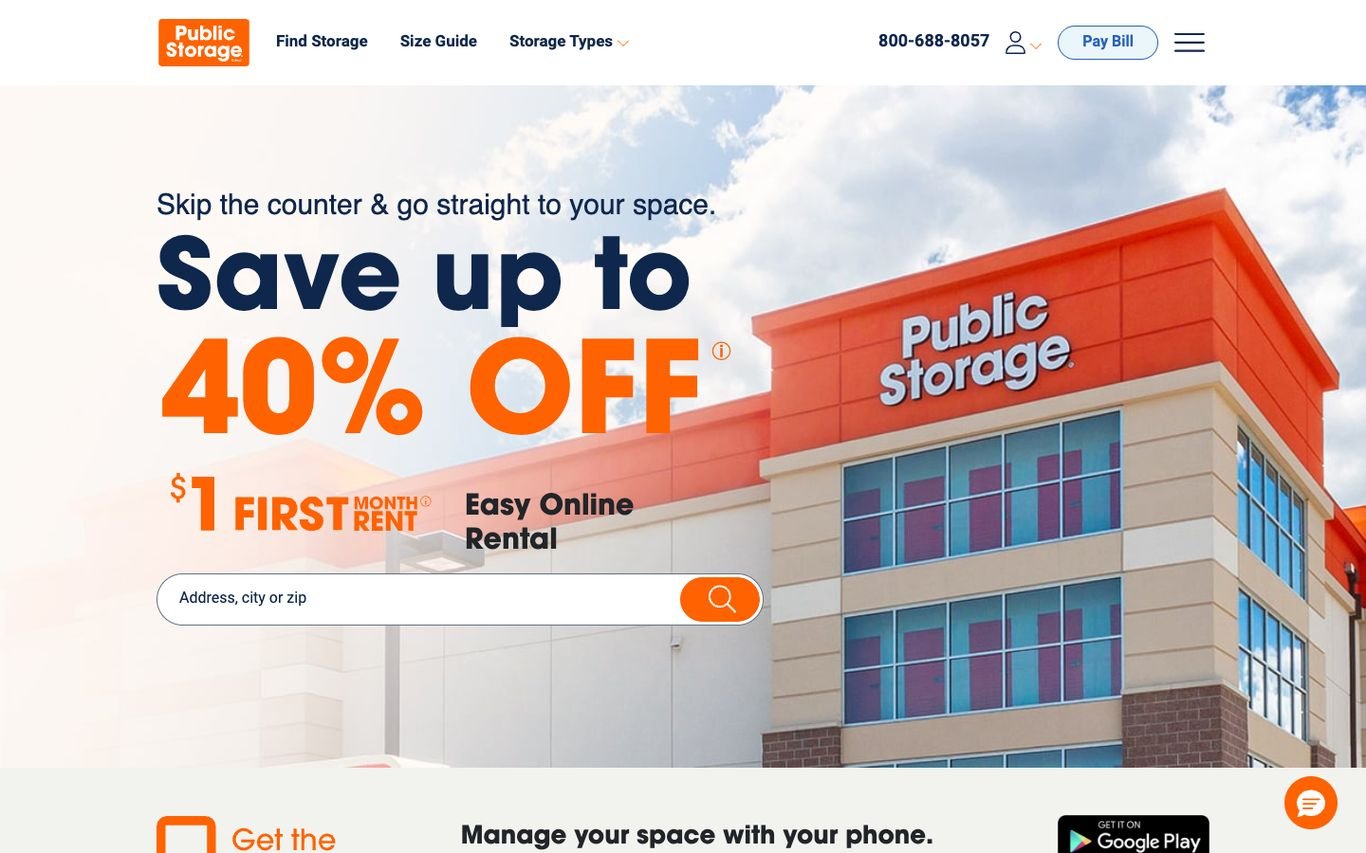
Public Storage combines “Skip the counter & go straight to your space” with a big discount, a first-month price, and an easy online rental message, plus an address, city, or ZIP search. An app promotion follows.
What to borrow: Sell the convenience of renting online.
3. CubeSmart
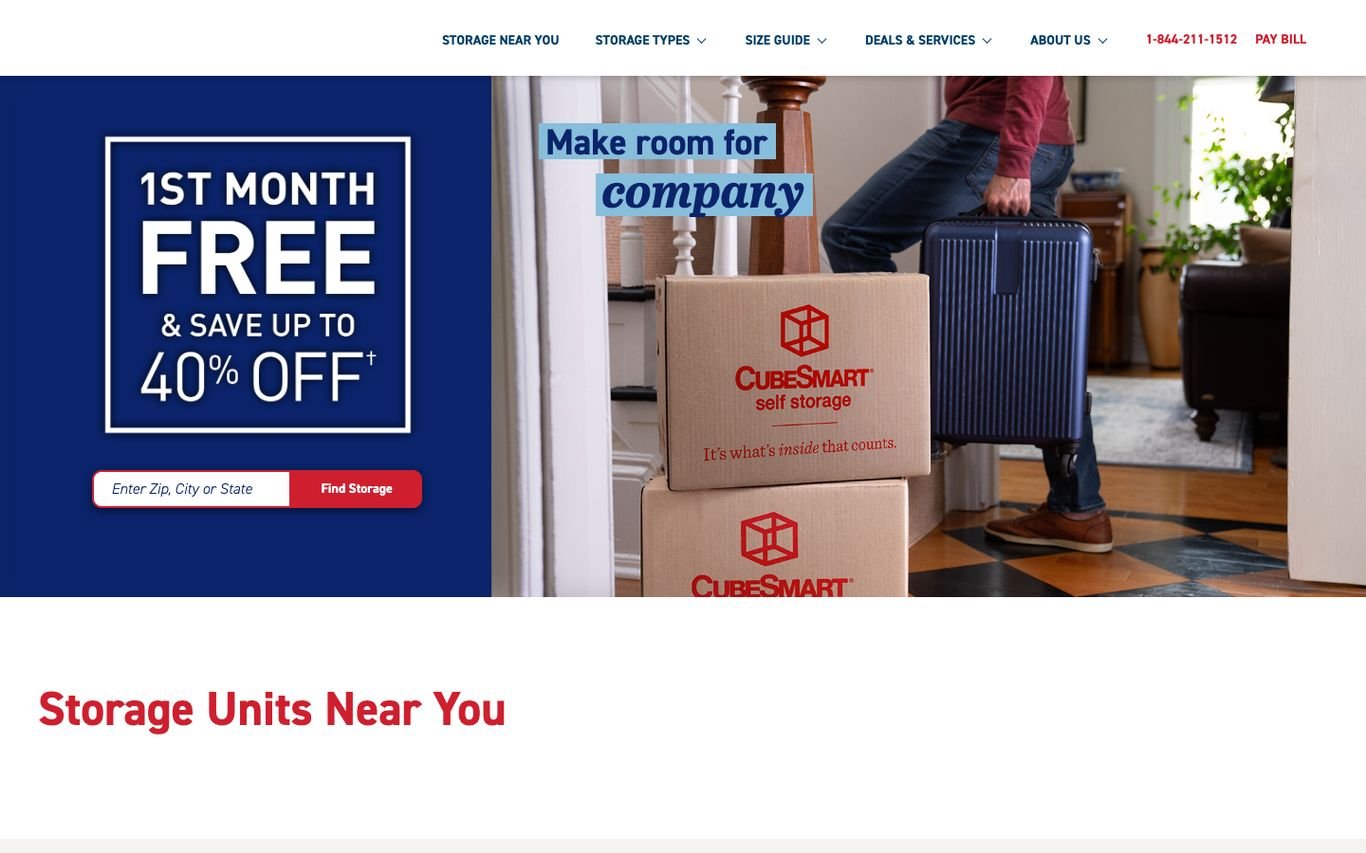
CubeSmart uses a framed, poster-style first-month offer beside a playful photo of a couple packing branded boxes, with a ZIP or city search. A size guide and deals sit in the navigation.
What to borrow: Playful photography that makes moving feel less stressful.
4. Access Self Storage
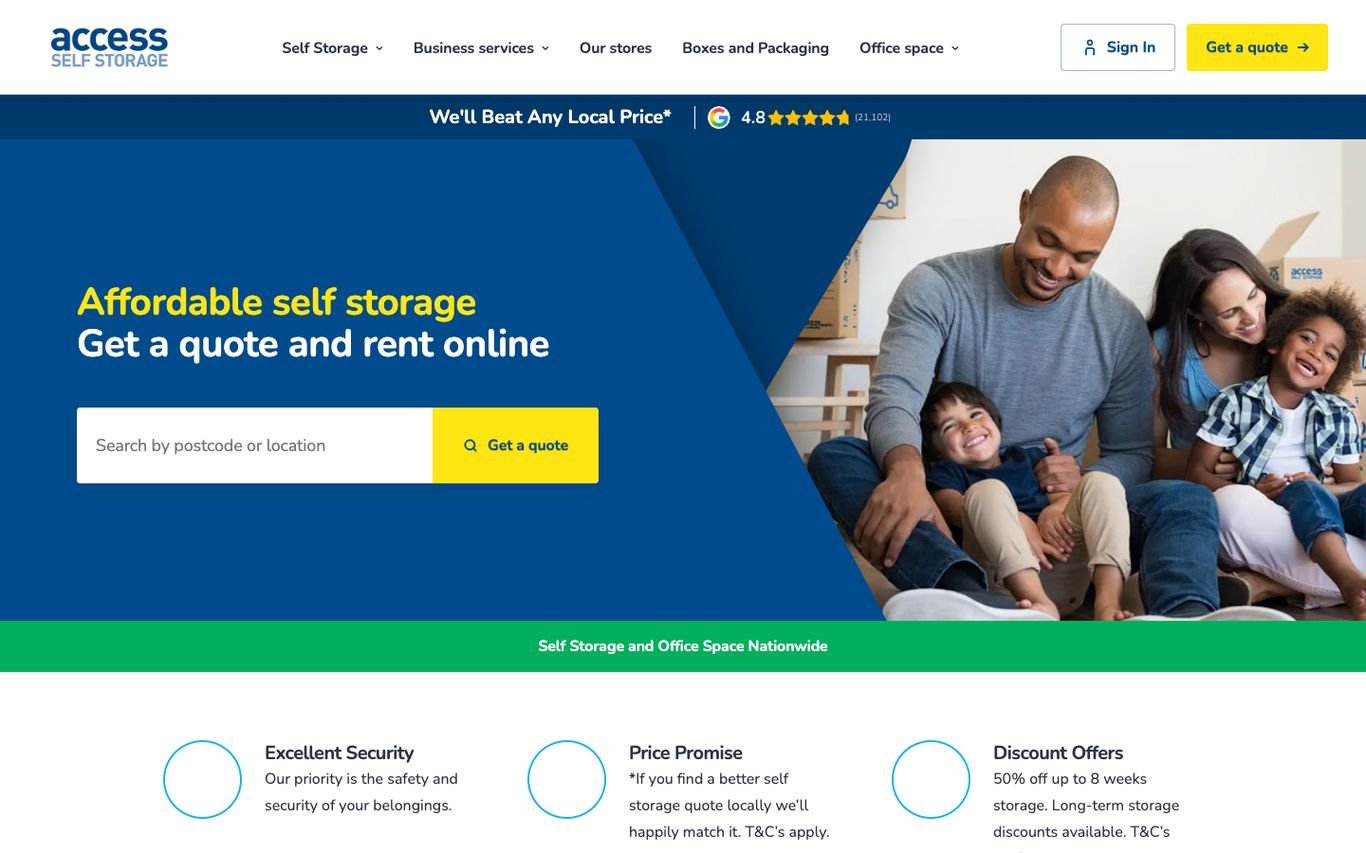
Access Self Storage pairs a family photo with “Affordable self storage. Get a quote and rent online” and a postcode search. A price-beat promise and review rating sit above, and three promises underneath cover security, pricing, and discount offers.
What to borrow: A local price-beat promise for price-sensitive customers.
5. Safestore
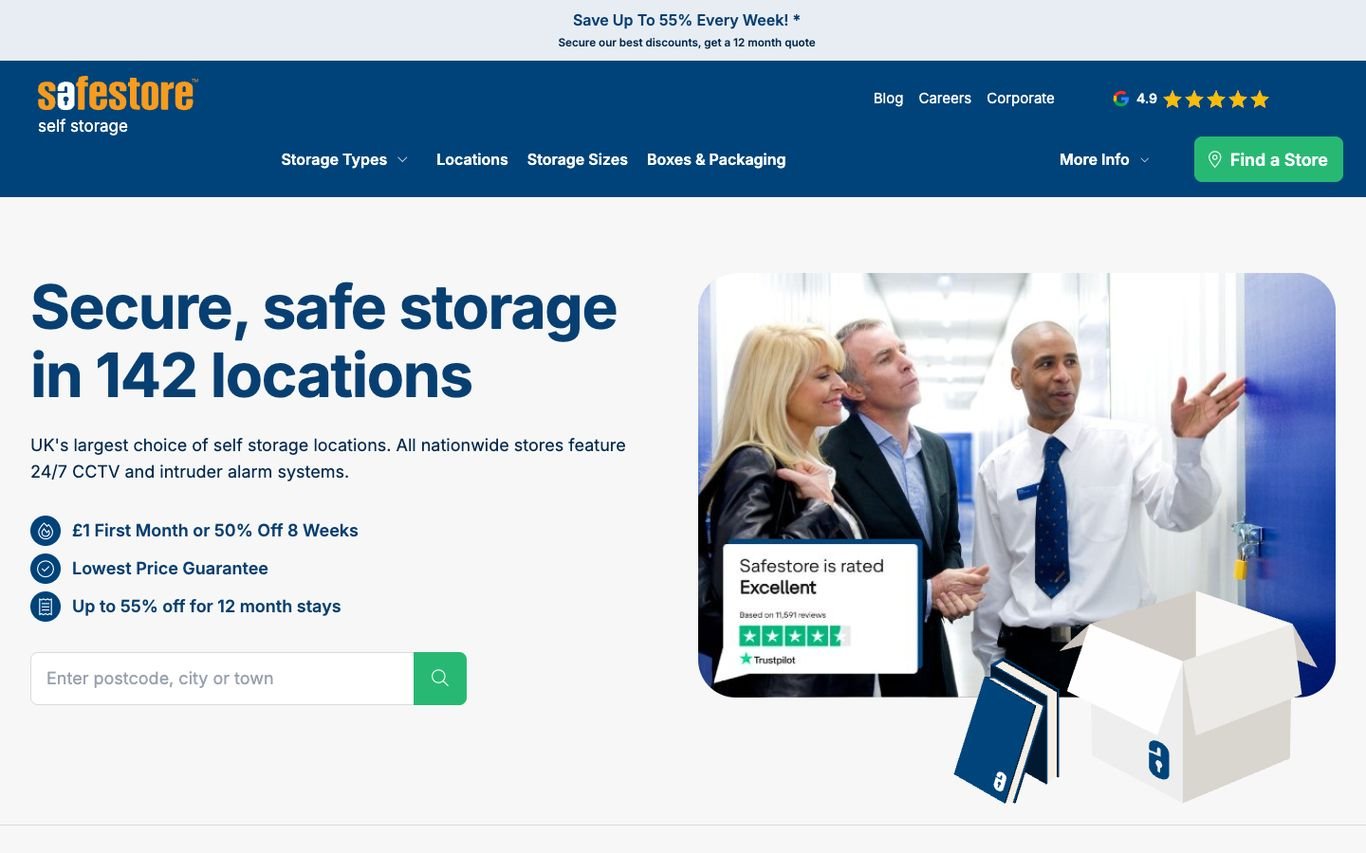
Safestore leads with “Secure, safe storage in 142 locations,” a checklist of offers including a first-month deal and lowest price guarantee, and a postcode search. A Trustpilot badge sits on the hero image.
What to borrow: Turn offers into a short checklist.
6. Storage King
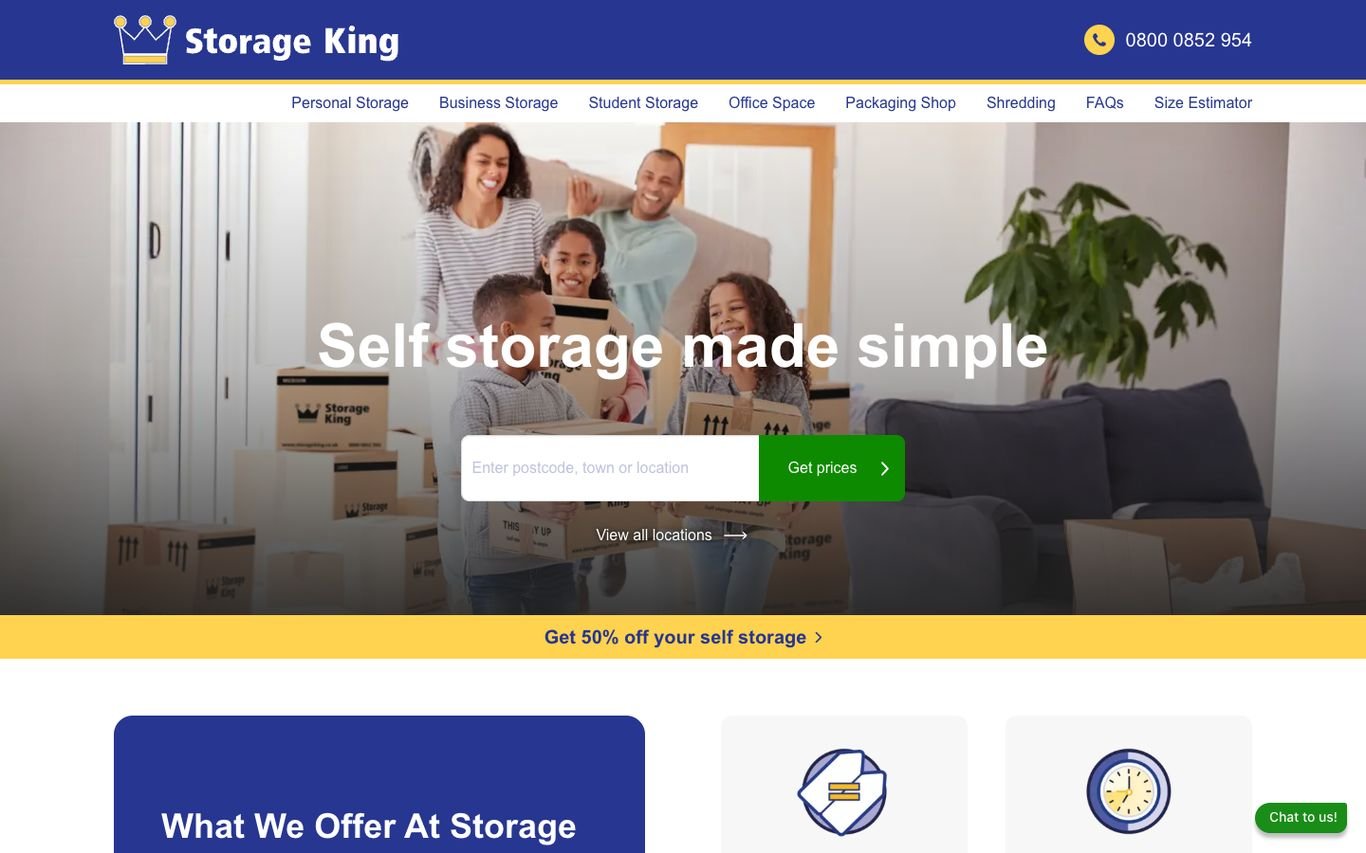
Storage King uses a family moving scene with “Self storage made simple” and a postcode search with a Get Prices button. A size estimator in the navigation helps customers pick the right unit.
What to borrow: A size estimator for customers who don’t know what they need.
7. Shurgard
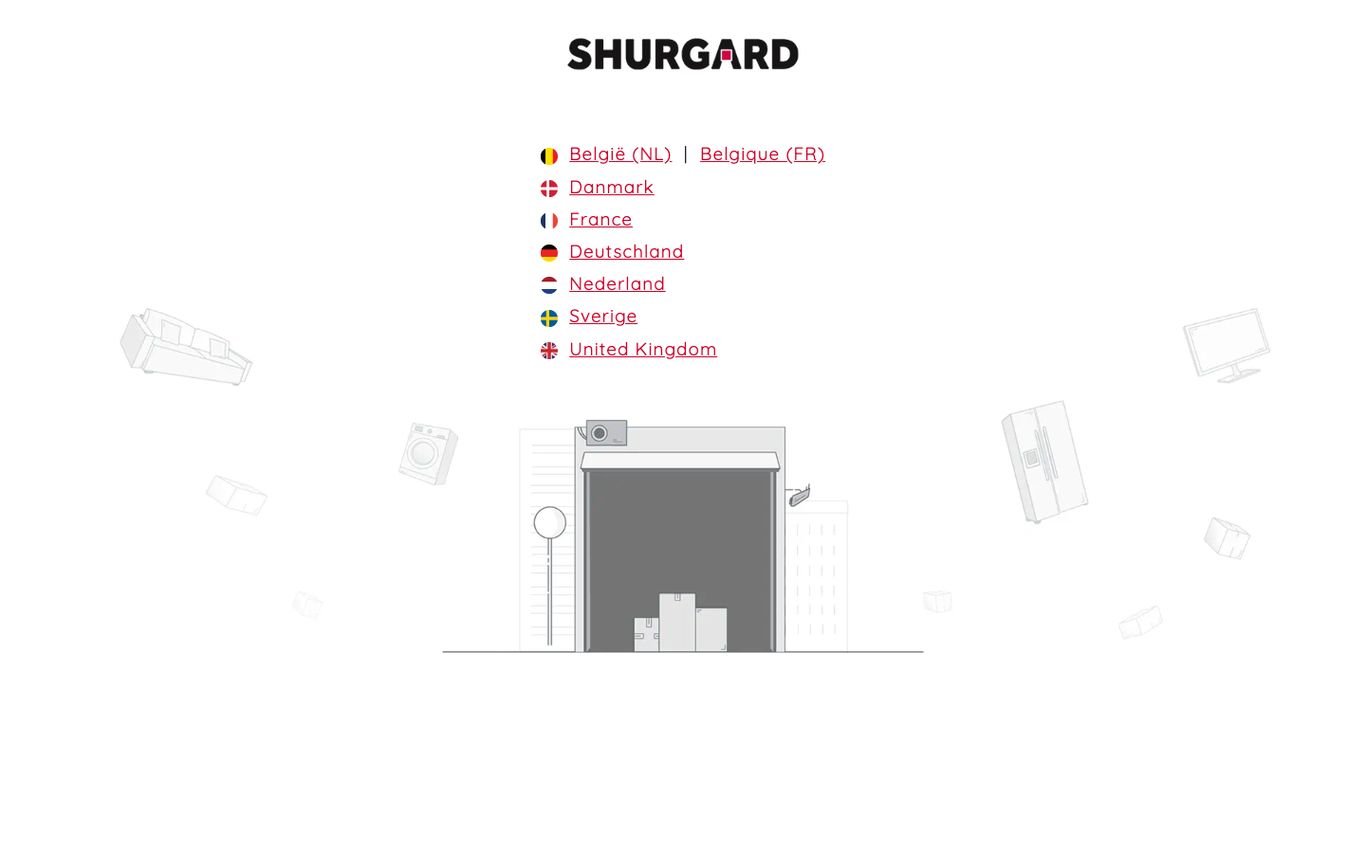
Shurgard’s European homepage is a simple, illustrated gateway: a storage unit drawing and a list of countries with language options, routing customers to their local site.
What to borrow: A clean gateway for a multi-country brand.
Quick Comparison
| Website | Market | Standout Feature | Our Rating |
|---|---|---|---|
| Big Yellow Self Storage | UK | Friendly staff photo and postcode quote | |
| Public Storage | US | Big offer and online rental | |
| CubeSmart | US | Poster-style offer with playful photography | |
| Access Self Storage | UK | Family photo, quote search and three promises | |
| Safestore | UK | Location count and offer checklist | |
| Storage King | UK | Simple promise and a size estimator | |
| Shurgard | Europe | Illustrated country gateway |
Design Tips for Your Self Storage Website
1. Lead With Location Search
Most customers start with where, so put search in the hero.
2. Make Sizes Visual
Room-based size guides help customers choose the right unit.
3. Book Online
Online reservations and move-in reduce friction and staff time.
4. Highlight Security
CCTV, access controls and insurance reassure customers.
5. Serve Businesses
Business storage pages attract longer, higher-value contracts.
Frequently Asked Questions
What should a self storage website include?
Location search, unit size guides, prices, online booking, security details and business storage.
Can WordPress take storage bookings?
Yes, by integrating storage management software or using booking plugins.
How do storage facilities get more rentals online?
Local SEO, clear prices, online booking and first-month offers.
Conclusion
The best self storage website design combines trust, clarity and an obvious next step. Help customers find a nearby unit, pick the right size and book in minutes. Use these 7 examples as inspiration and adapt the patterns that fit your business.
For more inspiration, see our best real estate website designs and best solar company website designs.
Dev Mizan designs and builds fast, conversion-focused WordPress websites for growing businesses, with lead forms connected to your CRM. Get in touch to plan your new website, or message us on WhatsApp.
Want more inspiration? Browse all website design examples by industry →